
hangel on Apple Watch
hangel’s Apple Watch app is in beta: your impact score, next event and urgent blood requests on your wrist.

This app is in beta: its features are still being improved.
What you can do with hangel on this platform
Only features that are live today are listed; those in the works are marked “Coming soon”.
Impact score and next event
See your hangel impact score, daily streak and upcoming event on your wrist.
Reply to blood requests from your watch
Reply “I can come” or “I can’t” to a hangel Emergency Blood notification from your watch; on compatible watches with the double tap gesture.
Quick actions
Shortcuts for check-in, hangel Emergency Blood, volunteering and your impact story open the right page in hangel on your iPhone.
hangel in the Smart Stack
Urgent blood requests also appear in the Smart Stack widget on your watch face.
Step by step
Install hangel on your iPhone and sign in with your hangel account.
Install the hangel watch app from the Watch app on your iPhone or from the App Store on your watch; the watch gets its information from hangel on your iPhone.
See your impact score and next event on your watch, and reply from your wrist when an urgent blood request comes in.
Screenshots
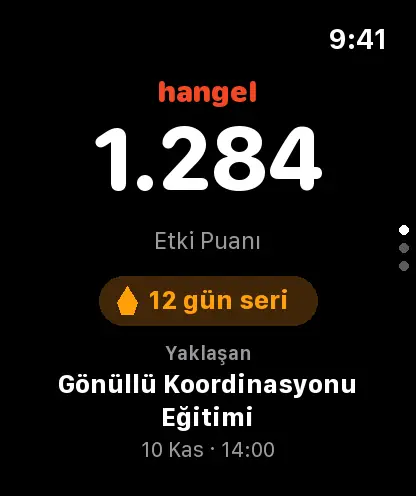
Impact score and next event 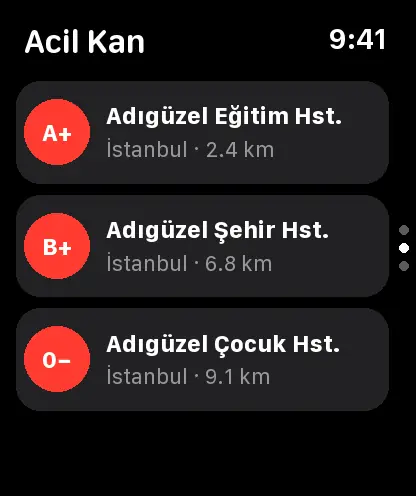
hangel Emergency Blood on your watch 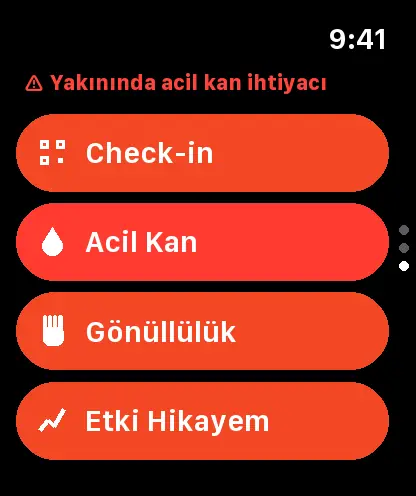
Quick actions
Frequently asked questions
Does the Apple Watch app work on its own?
The watch gets its information from hangel on your iPhone. If the watch is online it sends your reply to a blood request directly; otherwise it sends it through your iPhone.
What does beta mean?
hangel’s Apple Watch app is still being improved, so some screens may change. You can send your suggestions to info@hangel.org.
Does my hangel account work on this platform too?
Yes. You use the same hangel account on hangel.org, in the app and on other platforms; your information syncs with your account.
Which permissions does hangel ask for?
hangel does not ask for all permissions at first launch; it asks for each one only when it is actually useful. For example, it asks for notification permission when you turn on a reminder.
Which languages is hangel available in?
Turkish (Türkiye), Turkish (Cyprus), English, Azerbaijani, German, French, Spanish, Russian, Arabic, Persian, Hungarian, Danish and Hausa.
No one should have to struggle alone.
hangel brings volunteers, NGOs, clubs and institutions together in one place. Join in from this platform too.
This app is in beta: its features are still being improved.
The Apple Watch name and logo are trademarks of their owner and are used here only to identify the platform. This page does not imply any partnership or endorsement. hangel is built and run by hangel - Uluslararası Sosyal Fayda Derneği (Social Business Global).