

hangel on Firefox Add-ons
The hangel extension for Firefox is coming soon to Firefox Add-ons.
hangel is not live on this platform yet. With the same hangel account you can use it today on hangel.org and in the app stores.
Use hangel on another platform nowWhat you can do with hangel on this platform
Only features that are live today are listed; those in the works are marked “Coming soon”.
Your hangel account in the side panel
Your profile, applications, events, certificates and unread notifications in your browser’s side panel.
Event reminders
Timely reminders for the events you join and your approved volunteering.
Shortcuts for NGO admins
Publish a listing or event, check people in by QR code, see applications and volunteers in one click; pages open in a new tab, already signed in.
My blood info card
If you have given explicit consent: your blood type, your next eligible donation date and urgent requests that match your blood type; nothing is saved in your browser.
Optional shopping reminder
Reminds you when you are on the site of a store that is on hangel Market; the pages you visit are not sent to hangel.
Step by step
Use the button above to open the extension store and add hangel to your browser.
Click the hangel icon in the toolbar; the side panel opens.
Link your account with “Sign in with your hangel account”; your password is never entered in the extension, you sign in on hangel.org.
Follow your events, notifications and applications from the side panel; turn on the shopping reminder in settings if you like.
Screenshots
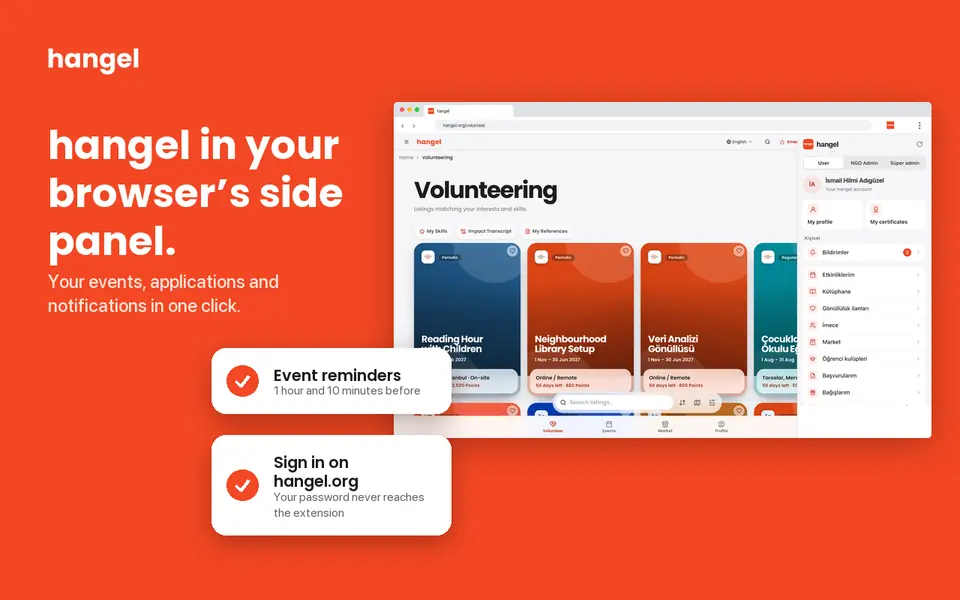
hangel in your browser’s side panel 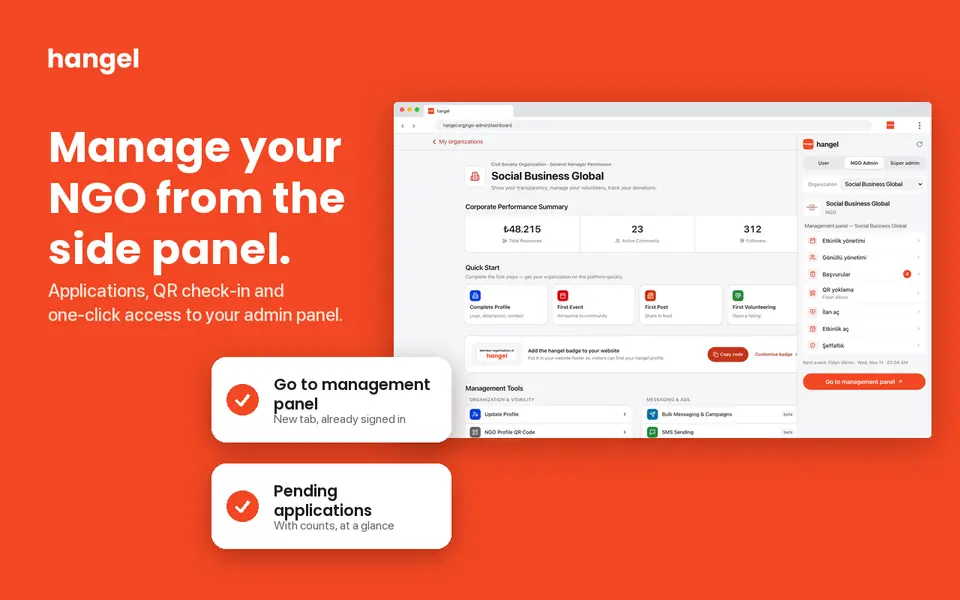
Manage your NGO from the side panel 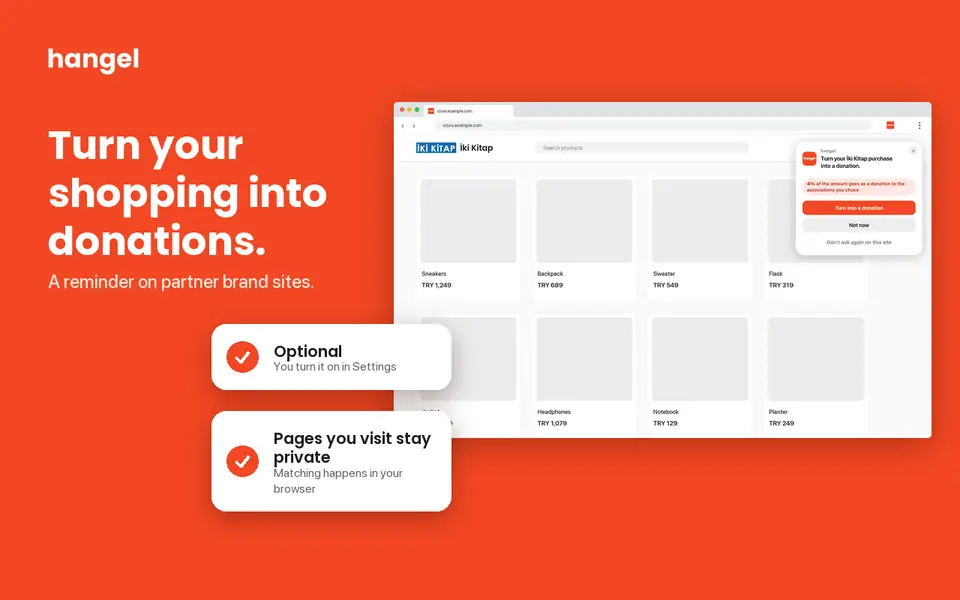
Optional shopping reminder
Frequently asked questions
Does the extension see the pages I visit?
No. The pages you visit are not sent to hangel. The shopping reminder is optional and can be turned on or off in settings.
Is my password entered in the extension?
No. You sign in on hangel.org; the extension receives a separate read-only link key, and you can remove the link at any time.
Is my blood information stored in the extension?
No. The My blood info card only appears if you have given explicit consent for health data; the information is kept in memory only while the panel is open.
No one should have to struggle alone.
hangel brings volunteers, NGOs, clubs and institutions together in one place. Join in from this platform too.
hangel is not live on this platform yet. With the same hangel account you can use it today on hangel.org and in the app stores.
Use hangel on another platform nowThe Firefox Add-ons name and logo are trademarks of their owner and are used here only to identify the platform. This page does not imply any partnership or endorsement. hangel is built and run by hangel - Uluslararası Sosyal Fayda Derneği (Social Business Global).